

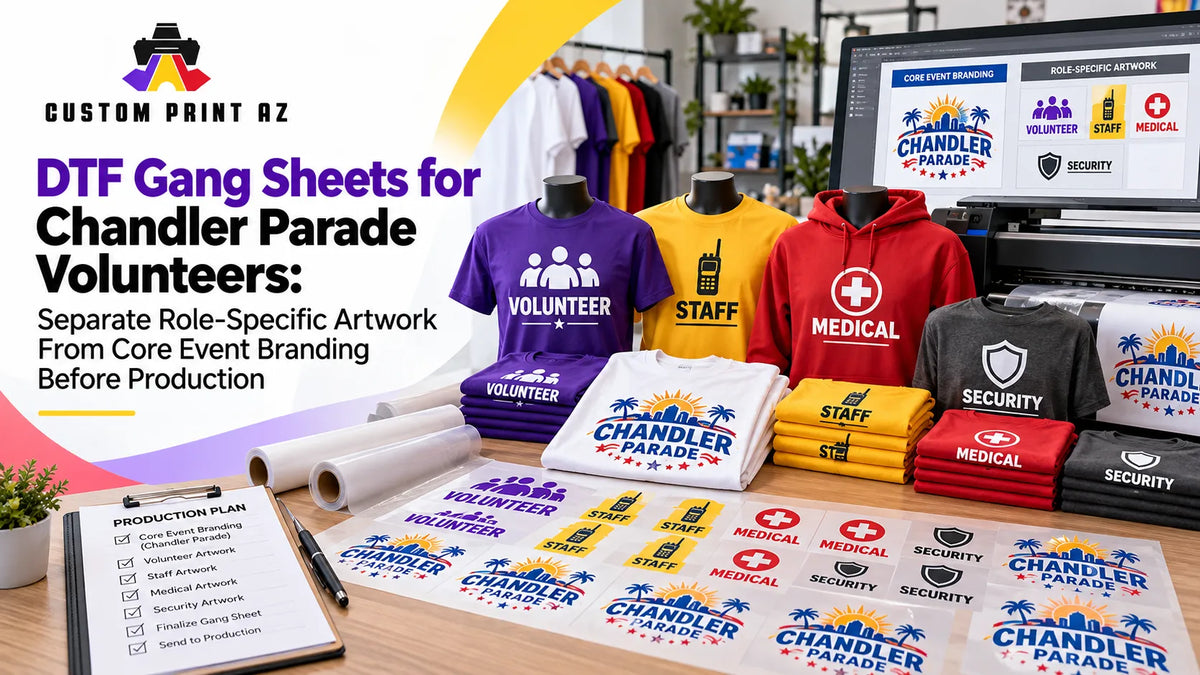
When you are preparing volunteer apparel for a parade or community event, it is easy to assume that every design becomes production-ready at the same time. The event logo may be finished, colors may be approved, and the shirt artwork may already look complete. But if some designs depend on volunteer assignments that are still being finalized, those files may not actually be at the same production stage.
This matters most when artwork directly identifies a volunteer's role. A broad identifier such as “Volunteer” may still work even if responsibilities shift, while labels such as “Information,” “Activity Booth,” or similar role-specific wording only make sense if the organizer actually plans to use that kind of assignment-based apparel.
For that reason, DTF gang sheet planning should not start only with design size or available sheet space. A more important question is: Does this artwork belong to the event's core identity, or does it depend on a volunteer assignment that could still change?
There is a real local context for that distinction in Chandler. The City of Chandler's Parade of Lights volunteer information lists different opportunities, including setup, parade banner holders, activity booths, and helping guests with event information. The City does not state that those roles require specific shirts or role labels. However, the fact that volunteer responsibilities can be different creates a practical planning issue for organizers who choose to use role-specific apparel.
Separate Core Event Branding From Role-Specific Artwork First
Instead of treating volunteer apparel as one artwork group, it can be more useful to think of it as two layers.
Core event branding includes elements that can remain valid even if a volunteer's assignment changes. That may include the event logo, organization name, primary event branding, or a general “Volunteer” identifier used across the team.
Role-specific artwork depends on what a volunteer is actually assigned to do. Graphics that identify someone as part of an information team, booth team, or another defined function fall into this group.
The goal is not to impose one apparel system on every event. Some organizers may use only general volunteer branding. Others may find role labels useful for operations. If role-specific identification is part of the apparel plan, however, keeping assignment-dependent artwork at the same production status as core branding can create unnecessary version risk.
Ask One Question About Every Artwork File: What Does This Design Depend On?
When reviewing volunteer artwork, do not look only at whether the design itself is visually complete. Identify what operational information the artwork depends on.
An event logo or common volunteer back print may work regardless of one person's exact assignment. By contrast, a sample label such as “Guest Information” would be directly tied to the volunteer plan if the organizer chooses to use that type of role identification.
A simple way to organize artwork is to place each version into one of three groups:
- Core: Event branding that can still be used if a volunteer's role changes.
- Role-dependent: Artwork that makes sense only when a specific assignment is correct.
- Pending: Artwork where the role name, team designation, or intended use has not yet been confirmed.
This is not a City of Chandler procedure. It is an internal production-control method that can make it easier to see which artwork is actually ready to move into a gang sheet.
Do Not Treat the Volunteer Roster and the Artwork List as the Same Thing
A name appearing on the volunteer roster does not automatically mean that a separate transfer must be produced for that person. In the same way, a volunteer appearing under a specific role does not mean that role-specific artwork has to go into production immediately.
Assignments may become clearer or shift as the event plan develops. That does not mean changes are guaranteed to happen. The important question is whether the artwork depends on information that may still change.
If a graphic only remains correct while a particular role assignment stays the same, it can be safer to keep that file separate rather than labeling it “final” too early. That prevents a visually finished design from being mistaken for a production-ready design.
Prepare Core Artwork Early and Hold Assignment-Dependent Artwork
Holding role-specific artwork does not mean putting the entire production process on pause. Core event branding can be prepared earlier, and general transfer sizes or placements can still be evaluated.
Before volunteer assignments are finalized, an organizer can still:
- Confirm the final event logo file.
- Approve the shared volunteer artwork.
- Plan a general front and back placement system.
- Build the typography and visual system for role labels, if role labels will be used.
- Keep core and role-specific artwork in separate file groups.
- Mark role-specific versions as not yet released for production.
This workflow is not an official City of Chandler requirement. It is simply an internal production-control approach. It helps avoid rebuilding the entire creative system once assignments are known while also reducing the chance that an unconfirmed role turns into a physical transfer too early.
Do Not Reopen the Entire Artwork System When One Role Label Changes
When core branding and role-specific layers are separated, change control becomes easier.
If the shared volunteer artwork stays the same but one role label changes, you can focus the review on the affected version instead of treating the entire event design as a new project.
This is especially helpful when several files look almost identical. Variations using labels such as “Volunteer,” “Information,” “Booth,” or similar role text can be easy to confuse when they share the same logo, colors, and layout. Those examples are only being used here to explain the version-control concept; they are not presented as official City of Chandler apparel terminology.
If an artwork change happens after a production decision has already been made, a broader artwork revision and change-control workflow can help keep the current production reference clear.
Keep Only Active Versions in the Production Folder
Once role assignments are clear enough for production planning, remove old or unused role variations from the active production set.

Archiving a file is not the same as leaving it in the active production folder. A previous role version may still be useful as a reference later, but if it is no longer part of the current event plan, it should not remain mixed with artwork that is ready to print.
A simple internal folder structure can work well:
- Core Approved: Shared artwork that will be used across the event.
- Role Pending: Role-specific versions still waiting for assignment confirmation.
- Role Approved: Role-specific artwork confirmed for actual use.
- Archive: Older, canceled, or unused versions.
This is not an official Chandler file system. It is a straightforward internal method for reducing confusion when the gang sheet is assembled. The production folder should represent what is actually going to print, not every design version that has existed during planning.
Define the Gang Sheet Release Point After the Assignment Is Clear Enough
The important production moment is not necessarily when the artwork looks finished. It is when the dependency behind that artwork is clear enough to support a print decision.
Core artwork may reach that point earlier. Role-specific artwork may need to wait until the organizer confirms that the assignment is part of the current event plan.
This does not mean waiting for a guarantee that the volunteer roster will never change again. It means using the latest reliable role plan when releasing assignment-dependent designs to production.
Useful release questions can include:
- Would this design become incorrect if the volunteer assignment changed?
- Does the role shown in the artwork match the current volunteer plan?
- Are multiple old versions of the same role still sitting in the active folder?
- Do the core branding and the role layer use the correct versions together?
- Has any pending artwork been added to the gang sheet by mistake?
These questions are not about managing the event itself. They are about keeping the production file aligned with the event plan the organizer is actually using.
Check Quantities After the Artwork Set Is Released
Working on quantities before deciding which role-specific versions are truly active can reverse the normal order of decisions. First identify the artwork versions that belong in the production set. Then confirm how many transfers are needed for each active design.
For example, if one core event design has three role-specific variations, first confirm that all three variations are actually part of the current volunteer plan. Only then should those versions move into quantity planning.
That order helps avoid counting transfers for a role variation that may later be removed from the job. Once the active artwork set is established, a DTF gang sheet quantity audit can be the next useful step for checking whether the design counts match the production plan.
What Should a Production-Ready Gang Sheet Represent?
In this scenario, a production-ready gang sheet is more than a visually organized collection of graphics. Every design on the sheet should have an operational reason for being there.
Core artwork should be confirmed for event use. Role-specific artwork should match the current assignment plan. Old role names, alternate drafts, and pending options should stay out of the production file.
Once that artwork set is stable enough to release, transfer sizes, design counts, and final layout can be checked. If the completed sheet was prepared outside the ordering workflow, the DTF gang sheet upload step can follow after the production set is finalized.
Frequently Asked Questions
Does Chandler require parade volunteers to wear role-specific shirts?
This article does not make that claim. The City of Chandler's Parade of Lights page lists different volunteer opportunities, but it does not state that volunteers must wear role-specific apparel. The artwork workflow described here is intended for organizers who choose to use role-specific volunteer apparel in their own event plan.
Do I need separate artwork for every volunteer role?
No. An event may use only shared event branding and a general volunteer identifier. Role-specific artwork should only be created if it serves a real operational purpose in the event's apparel plan.
What is the main difference between core event artwork and role-specific artwork?
Core artwork can remain valid even if a volunteer's assignment changes. Role-specific artwork depends on a particular assignment staying correct. That difference affects when each file should be considered ready for production.
What should I do if a volunteer assignment changes later?
Start by identifying which artwork version is affected. If the core branding has not changed, the entire event artwork system may not need to be rebuilt. Update the affected role-specific version, remove the outdated version from the active production set, and review the replacement before it goes to print.
When should gang sheet quantities be finalized?
First confirm which core and role-specific artwork versions are actually active. Then complete the quantity check. This helps reduce the chance that an outdated or unused role version is included in the production count.
If the Volunteer Role Can Change, the Artwork Status Should Reflect That
Volunteer work at Chandler parade and community events can involve more than one type of responsibility. If an organizer chooses to use role-specific apparel, that operational structure should be reflected in the artwork workflow as well.
Prepare core event branding early and manage assignment-independent artwork separately. Keep designs tied to a specific role out of production until the volunteer plan is clear enough to support them. Once assignments are confirmed for the current plan, verify the active role versions, remove outdated files from the production set, and then move into quantity and final gang sheet review.
The result is a gang sheet that does more than organize artwork efficiently. It represents the volunteer plan the organizer is actually preparing to use.


