




DTF - Build Gang Sheet
DTF - Build Gang Sheet
Please make sure your files have a transparent background. Avoid white backgrounds!
Important Artwork Guidelines
Please ensure your background is completely transparent. White backgrounds will print as white ink.
File resolution must be at least 300 DPI for a crisp, high-quality print.
No semi-transparent pixels or soft gradients. Edges must be hard and clean.
Same-day printing is not guaranteed for orders with file issues, including low resolution, background issues, incorrect sizing, or other artwork-related problems.
Couldn't load pickup availability
Description
Description
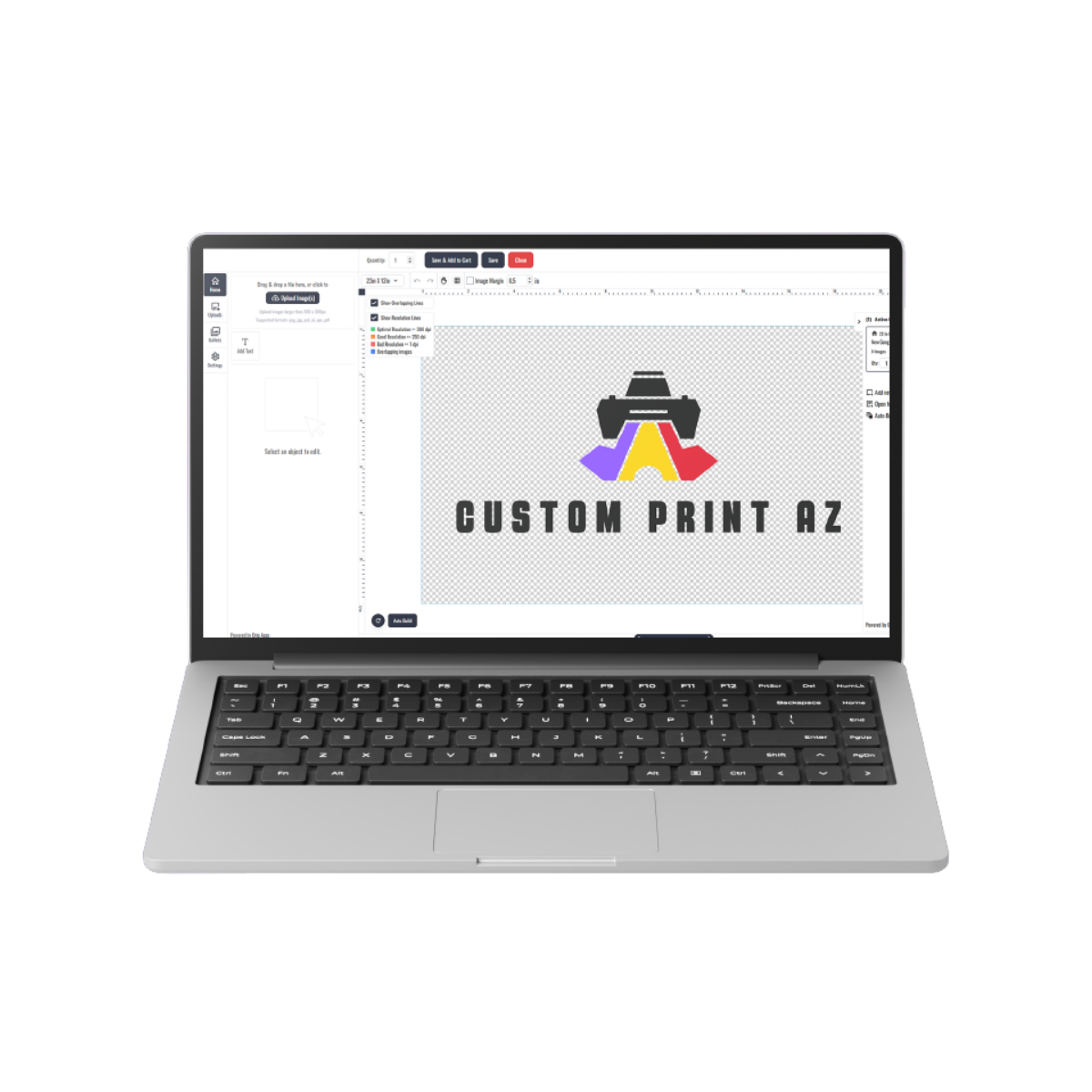
Build a custom DTF gang sheet by arranging multiple logos, names, graphics, and design variations directly inside the online gang sheet builder. Select your sheet size, upload your artwork, adjust each design, and organize your layout for DTF transfer production.
This ordering option is useful when you have multiple graphics or repeated designs that you want to organize together on one sheet. Instead of uploading a completed gang sheet, you can create the layout directly in the builder before submitting your order.
Create Your Custom DTF Gang Sheet
Use the builder to organize multiple graphics within the selected printable area. Resize, rotate, duplicate, and position each design according to your planned transfer sizes and quantities.
- Upload multiple logos, names, illustrations, and graphics.
- Resize artwork for different garment placements.
- Rotate and arrange designs within the available sheet area.
- Duplicate artwork when multiple copies of a transfer are required.
- Leave adequate spacing between separate designs.
- Keep every design inside the printable boundaries.
- Review the complete layout before submitting your order.
The submitted gang sheet will follow the layout you create in the builder. Check the size, spelling, orientation, spacing, and image quality of every design before checkout.
If you are new to arranging multiple designs on one sheet, review our DTF Gang Sheet Builder guide for additional layout and production planning guidance.
Artwork Preparation
Upload high-resolution artwork with clean edges, readable details, and transparent backgrounds when isolated graphics are required. Avoid enlarging small or low-resolution artwork because scaling can reduce visible detail in the final design.
- Use transparent backgrounds when required.
- Check small text and fine design elements at the intended print size.
- Remove unwanted backgrounds before adding artwork to the builder.
- Keep design edges clean and clearly defined.
- Review the dimensions of each individual graphic.
- Make sure no artwork extends outside the available sheet area.
For more file and layout preparation guidance, see our tips for preparing gang sheets for DTF printing.
Plan Your Gang Sheet Layout
A well-planned gang sheet uses the available space efficiently while keeping individual transfers organized. Consider the final size of each graphic, how many copies you need, and how the transfers will be separated after production.
Repeated graphics can be duplicated inside the builder, while different logos or artwork variations can be arranged together according to the available sheet dimensions.
Suitable Apparel Applications
DTF transfers can be used for compatible apparel projects such as T-shirts, hoodies, sweatshirts, uniforms, tote bags, team apparel, workwear, event garments, and branded merchandise.
Before application, confirm that the selected garment and fabric are suitable for the required heat, pressure, and pressing process.
How to Build and Order
- Select the required DTF gang sheet dimensions.
- Open the online gang sheet builder.
- Upload your completed artwork files.
- Resize, rotate, duplicate, and arrange each design.
- Keep all artwork inside the printable boundaries.
- Review image quality, dimensions, spelling, orientation, and spacing.
- Choose the required quantity and submit your order.
Your submitted builder layout will be used for production, so review the entire sheet carefully before completing the order. Remove unintended backgrounds and confirm that every design appears at the intended size and position.
Build a Gang Sheet or Upload a Completed Gang Sheet?
The gang sheet builder is designed for customers who want to arrange their individual artwork files directly during the ordering process. If you already have a completed gang sheet prepared at the correct dimensions, you can instead use the DTF Upload Gang Sheet option.
Choose the workflow that matches the current state of your artwork: build the layout online when you have individual design files, or upload a completed sheet when the full layout has already been prepared.
Pressing Instructions
- Position the transfer on the compatible garment.
- Apply medium pressure at 310°F (155°C) for 8 seconds.
- Peel immediately after pressing, beginning from a corner.
Application conditions can depend on the garment and pressing setup. Confirm compatibility and test when appropriate before completing a larger production run.
Need Help Building Your Gang Sheet?
Need assistance with sheet sizing, artwork preparation, design placement, quantities, or application planning? Call (480) 250-4263, email info@customprintaz.com, or visit 3411 East Corona Avenue, Suite 108, Phoenix, AZ 85040.
Product Features
Product Features
Custom Sizes Available: Pick from a variety of sizes to perfectly match your design needs.
High-Quality Prints: Get bright, vibrant colors with sharp details that stay strong over time.
Works on Different Materials: Suitable for cotton, polyester, blends, and even unique surfaces like leather.
Easy to Use: Just press and peel – no extra steps like weeding or pre-treating required.
Soft and Comfortable Feel: Keeps your garments light and smooth, without any stiff or heavy texture.
Long-Lasting Results: Stands up to over 60 washes without fading or cracking.
Same-Day Shipping: Place your order by 3 PM CT, and we’ll ship it out the same day. While rare delays may happen during busy times or technical hiccups, we work hard to get your order out quickly.
Upload Recommendations
Upload Recommendations
Accepted File Types: We can work with a range of files, such as PNG, JPEG, PDF, SVG, and more. For the best print results, vector files like AI or SVG are ideal.
Image Quality: If you’re using raster files, make sure your design is at least 300 dpi to guarantee clear, crisp prints without blurriness.
Size Accuracy: Upload your design in the same shape and proportions as your chosen print size to avoid resizing issues.
Color Settings: Set your file to the CMYK color profile for vibrant and accurate colors in your prints.
File Prep Made Easy: Clean up your design by removing unwanted backgrounds and ensuring your artwork is polished for the best outcome.
Size Information
Size Information
When selecting a size like 4"x4", 2"x4", or 6"x6", your design needs to match the shape of the chosen size (square or rectangle). If the shape doesn’t match, we’ll resize your design to fit the longer side while keeping it proportional, so it won’t look stretched or distorted.
Example: If your design measures 11"x7" and you select a 4"x4" size, we’ll adjust the longer side (11") to 4". The shorter side will automatically resize to maintain the original proportions, which means it may not end up as exactly 4".
To avoid changes to your design’s size, upload a file that already matches the shape of your selected size. If the proportions don’t align, we’ll resize it for you, but the shorter side may be smaller than the size you chose.
Pressing Instructions
Pressing Instructions
- No Pre-Press Needed: Skip the pre-press unless preferred.
- Position Your Design: Place the transfer as needed. Use heat-resistant tape for hats or irons if necessary.
- Press: Apply medium pressure at 310°F (155°C) for 8 seconds. Use parchment paper to prevent heat damage if testing.
- Instant Peel: Peel immediately after pressing, starting from a corner for smooth application.
Satisfaction Guarantee
Satisfaction Guarantee
Your satisfaction is our priority. Here’s how we ensure you’re happy with your DTF transfers:
- Free Reprints: If there’s a quality or adhesion issue caused by us, we’ll reprint your order for free.
- Easy Support: Not satisfied? Reach out within 14 days of receiving your order, and we’ll resolve any concerns promptly.
We’re dedicated to providing top-quality transfers you’ll love, every time!
Refunds & Reprints
Refunds & Reprints
- 14-Day Guarantee: Reach out within 14 days of receiving your order for a refund or reprint.
- Quality Issues: We’ll reprint orders if the problem is due to our error, like print quality or adhesion issues. Reprints won’t be issued for low-resolution uploaded files.
- Other Concerns: Refunds or reprints for non-quality issues require management approval.
Your satisfaction matters to us, and we’re dedicated to delivering a product you’ll love!