

Online Gang Sheet Builder
Custom printing is evolving rapidly. Managing your artwork efficiently saves both time and money. An online gang sheet builder simplifies layout compilation. This modern cloud platform accelerates custom print production.
You can optimize your workflow instantly. Discover how this innovative workspace transforms printing projects.
Maximizing space reduces total material waste. This smart approach guarantees professional production results.
Our comprehensive gang sheet builder tutorial guides you step by step. You will master space management quickly.
Create stunning custom transfers easily. This system ensures perfect layout alignment every single time.
Understanding digital printing mechanics is beneficial. This background enhances your overall template creation skills.
To learn more about industrial layouts, check out the historical concept of gang run printing.
Modern cloud systems build directly upon these foundational concepts. This ensures reliable automated production.
Getting Started with the Builder
Preparation is key for flawless execution. First, organize your high-resolution artwork files logically.
You must use gang sheet builder features correctly to secure premium prints. Clear visuals avoid transfer errors.
Check your background transparency settings. Removing solid backdrops protects your final print shapes.
A reliable online gang sheet tool prevents scaling mistakes. It locks dimensions automatically during editing.
This automated verification preserves detail sharpness. Your custom artwork maintains exact real-world dimensions.
Review the exact scale parameters carefully. Precise pixel density ensures industrial print quality.
Our platform handles heavy graphics smoothly. You can configure your canvas size within seconds.
Explore our premium dtf gang sheet selection for your projects. Select the perfect size tier today.
Matching sheet lengths avoids material shortages. Proper sizing simplifies your entire printing workflow.
Step-by-Step Builder Tutorial
Launch the design interface to begin your project. This cloud canvas maximizes space configuration automatically.
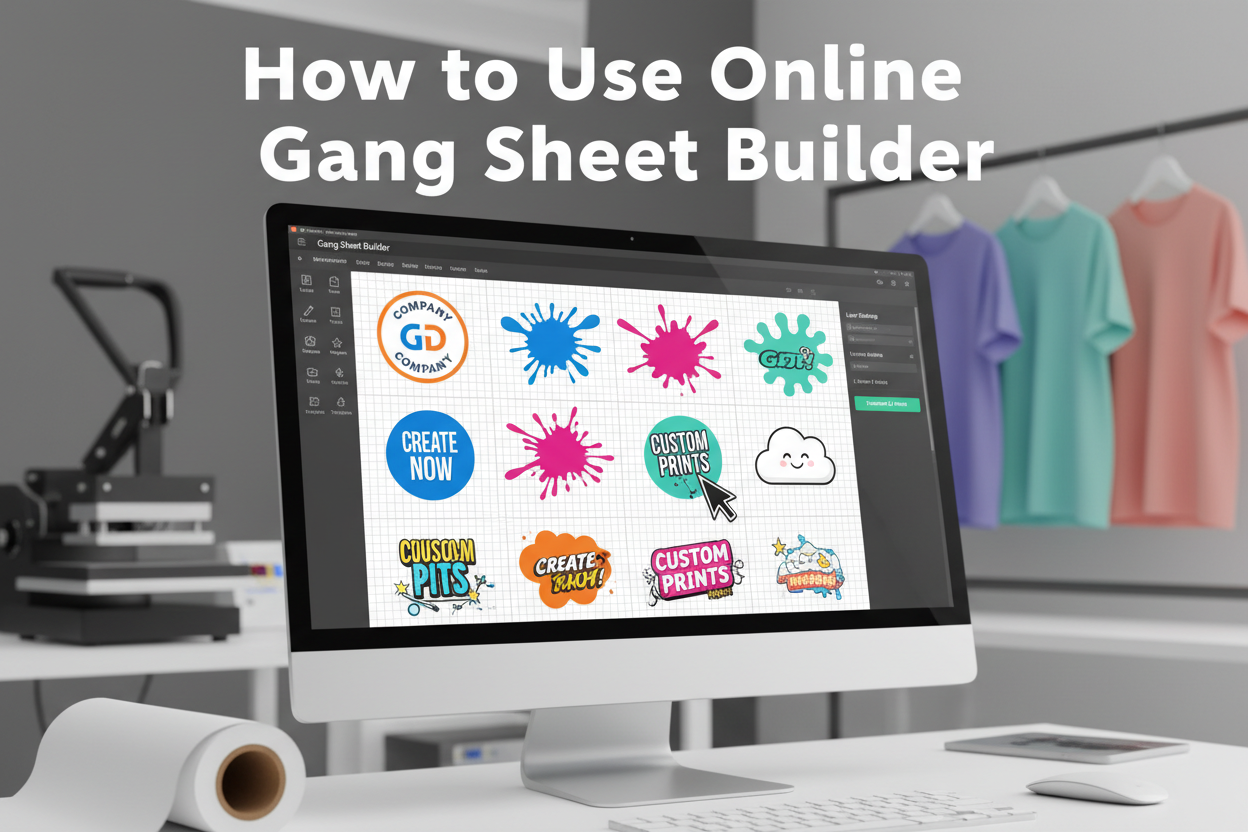
Our dedicated online gang sheet builder loads right inside your web browser. No complex local software installations are required.
The clean control dashboard maximizes editing speed. Every essential layout adjustment tool sits within reach.
This detailed gang sheet builder tutorial breaks down the full workflow. Follow along to maximize efficiency.
First, input the total required sheet length. The digital workspace updates your canvas grid instantly.
This visible grid guides visual placement accurately. You can see real-world inch markings clearly.
Next, explore the left-hand navigation column. Here you manage imported assets and canvas grids.
Open the interactive dtf gang sheet builder workspace directly. Start arranging your images now.
The workspace updates automatically with each move. Enjoy total creative control over prints.
Uploading and Arranging Designs
Import your files using the drag-and-drop panel. The system processes transparent graphics safely.
You can use gang sheet builder features to duplicate repeating icons. This saves massive manual effort.
Arrange your logos tightly to maximize space. Smart placement keeps production costs incredibly low.
The versatile online gang sheet tool supports rotation adjustments. Flip items to utilize narrow corners.
Maintain a small margin between distinct graphics. This boundary line facilitates precise scissor cutting.
Avoid overlapping distinct image bounding boxes. Clear spacing guarantees clean individual transfers.
The cloud software measures empty areas dynamically. It highlights design collisions automatically using red indicators.
Fix placement warnings before submitting orders. This proactive check ensures flawless machinery execution.
Re-check every element before confirming checkout. Clean templates yield beautiful custom merchandise.
Tips for Best Results
Always output files in high resolution. Low-quality files look blurry when printed on film.
An online gang sheet builder preserves original embedded vector details perfectly. Use vector formats whenever possible.
This practice secures exceptionally crisp text edges. Your brand apparel projects look polished.
Our current gang sheet builder tutorial emphasizes proper canvas color mode tracking. Use professional digital profiles.
Rich black tones require precise background ink layering. Ensure your graphics follow standard design rules.
Proper color balance creates highly eye-catching merchandise. Your custom prints will stand out.
Always double-check small design overlapping zones. Zoom in closely to spot hidden art board clipping errors.
You should use gang sheet builder alignment functions for rapid multi-item rows. This organizes large orders.
Perfect organization simplifies handling after shipping. Your team can sort transfers effortlessly.
Do not hesitate to explore the online gang sheet tool fully. Experimenting unlocks maximum layout density.
Higher density significantly decreases your cost per piece. Smart creators build dense transfer rolls.
Save your completed work before final checkout. This enables easy re-ordering in the future.
FAQ
How to use the online gang sheet builder?
Select your roll size first. Then upload your transparent images. Finally, arrange them tightly on the canvas grid.
Can I upload any file format?
The system accepts PNG, PDF, and SVG files. Ensure your designs have high resolution and transparent backgrounds.
How to arrange designs on gang sheet?
Place large graphics onto the canvas first. Fill empty gaps using small logos. Maintain tiny cutting gaps between items.


